 Now a day most of the people are demanding to use the windows features and windows on iPad. Due to popularity of the iPad, it is not a surprise that there is also a strong interest by users in running the Windows operating system (OS) on this tablet. Today in this article I will share some apps this which you can run the windows on your iPad without hesitation.


How to run Windows on your iPad?
Now a day most of the people are demanding to use the windows features and windows on iPad. Due to popularity of the iPad, it is not a surprise that there is also a strong interest by users in running the Windows operating system (OS) on this tablet. Today in this article I will share some apps this which you can run the windows on your iPad without hesitation. 
Hard Disk Data Recovery-When to Begin.

Four Steps to a faster computer in minutes.
 When your PC begins performing poorly you quickly start feeling as if the only way you are going to be able to solve the issue is rely on the services of a professional or to simply purchase a new computer. What many computer users fail to realize is that there are options available to them so that they themselves can increase the performance of their computer and get a slow computer fix without having to rely on the two costly methods mentioned earlier.
Maximize PC RAM using USB.

If your computer seems slow, and you have already gone through making sure there are no viruses, spyware, or adware on the system, it may be because your system needs more RAM. RAM is the short term memory of the computer. It works with the processor to multi-task. RAM can easily be added to your system if you are not already at maximum capacity for your motherboard, and you have available slots. However, RAM can get expensive, and even after you max out your motherboard you may need more. Using your Flash Drive as RAM is a quick, easy, and not to mention, cheaper way to increase system memory.
Fade Unwanted Screen Areas in Windows.
 Sometimes it becomes necessary for you to highlight a specific region rather than the whole Window while you are working. Suppose you want to show only active Window (the Window where you are currently working) and all other open Window will be dim. How it could be possible? Do not be tensed, we have an option that might satisfy you.
How to increase the windows startup speed?
 As a computer user, you often find that your system takes too much time to Start. Sometimes it makes you unhappy with your system performance. Computer is a systematic combination of various electronic circuits with firmware, chips, operating system and application software. Here I am trying to describe some tips and tricks to increase your system startup speed.
Hide any hard drive partition on your computer.

Sometimes you may have information, documents that you really don’t want to share with others. Therefore, it is always clever thinking to hide or protect your valuable information from others. There are several ways to hide or protect your hard drive partition from others. I am trying to describe here some easy and effective way to hide specific partition from your computer.
How to open password protect files in winrar?

You might have facing the problem like how to open password protected winrar files. Suppose you download a movie or something else by torrent or rapidshare and try to open it. Then a message written ‘Enter password for the encrypted rar file’ possibly shocks you. In this situation, if you have RAR Password Unlocker it will be easy for you to solve the problem. RAR Password Unlocker 3.2 is design to crack the lost password of your winrar or rar file. RAR Password Unlocker supports all versions of the winrar or rar archive. RAR Password Unlocker can recover any password no matter how long and how complex it is. Enhanced by brute-force attack, brute-force with mask attack, dictionary attack it works effectively and efficiently. Moreover, the tool is too easy to use that even a novice user can do it.
Boost Windows Speed using USB Device.

Lock your Windows using USB Drive.
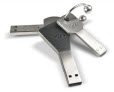 Windows Security is the major issue now a days. Although everyone is worried about the security of his windows. Several softwares have been invented to protect data from being theft but either these softwares are very costly or are very difficult to understand. For the convenience of the User a trick has been discovered by me to protect your data from being theft which is "Lock your Windows using USB Drive".
Labels:
Windows
